Install the snippet
Copy the snippet
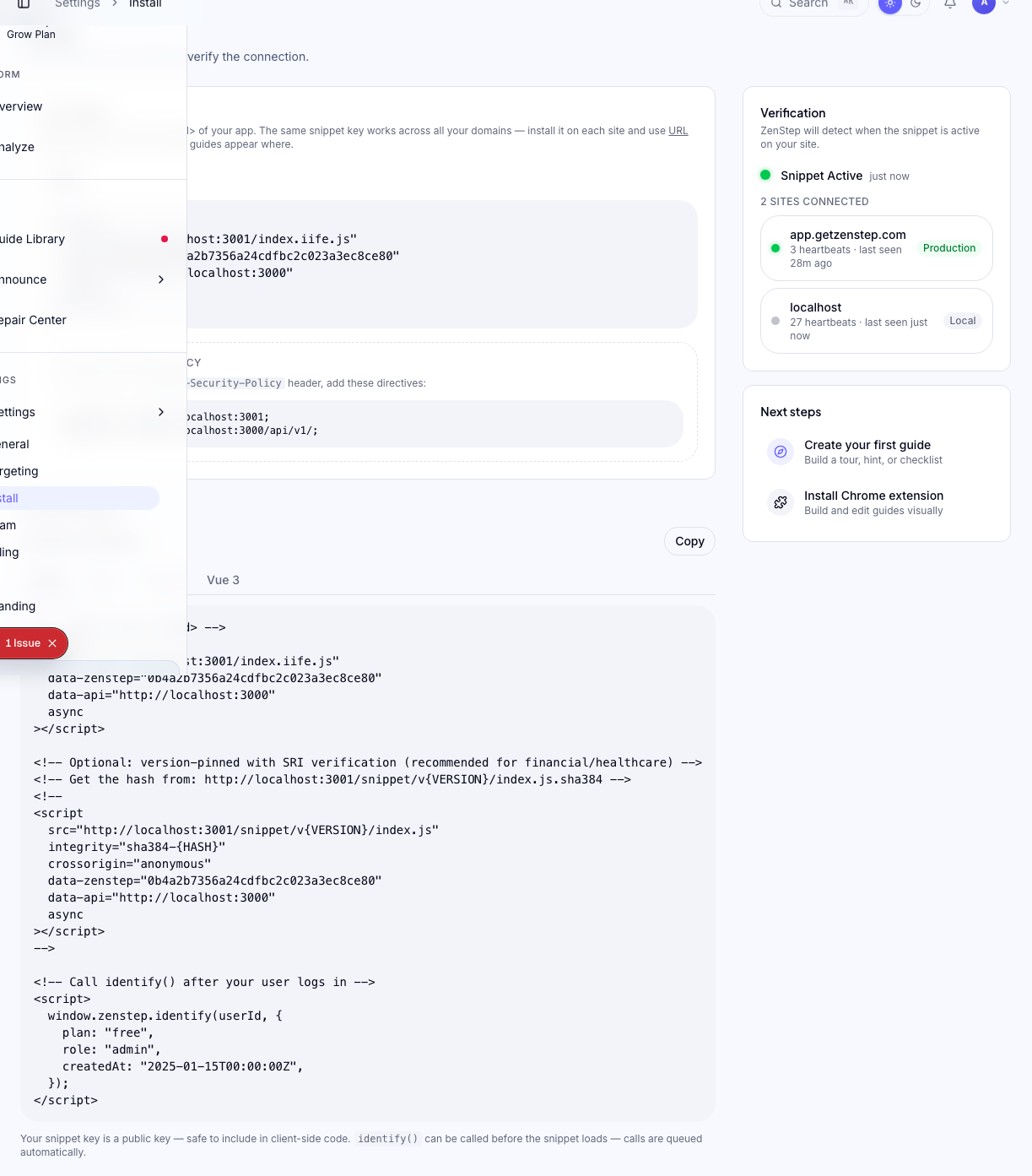
Go to Install in the dashboard. Copy the script tag shown — it looks like this:
<script
  async
  data-zenstep="YOUR_SNIPPET_KEY"
  src="https://cdn.getzenstep.com/snippet/latest/index.iife.js"
></script>
The data-zenstep attribute is your unique snippet key. The snippet loads asynchronously — it does not block your page from rendering.
Where to add it
Paste the snippet just before the closing </body> tag on every page of your site. On most frameworks, this means adding it to your root layout file:
- React / plain HTML —
index.htmlin thepublic/folder - Next.js — the root
src/app/layout.tsx(usingnext/script) - Vue / Nuxt —
index.htmlorapp.vue - Webflow — Project Settings → Custom Code → Footer Code
See the Developer Docs for framework-specific guides.
Identify your users
After authentication, call window.zenstep.identify() with your user's ID and any attributes you want to use for targeting:
window.zenstep.identify("user-123", {
  plan: "grow",
  role: "admin",
  createdAt: "2026-01-15",
});
Call identify() every time a user logs in, not just on first sign-up. Zenstep uses these traits for targeting — they need to be fresh on each session.
Only call identify() after the user is authenticated. If you call it before
login, Zenstep will associate anonymous traffic with the user ID, which
pollutes targeting data.
Verifying the installation
Method 1 — Dashboard indicator
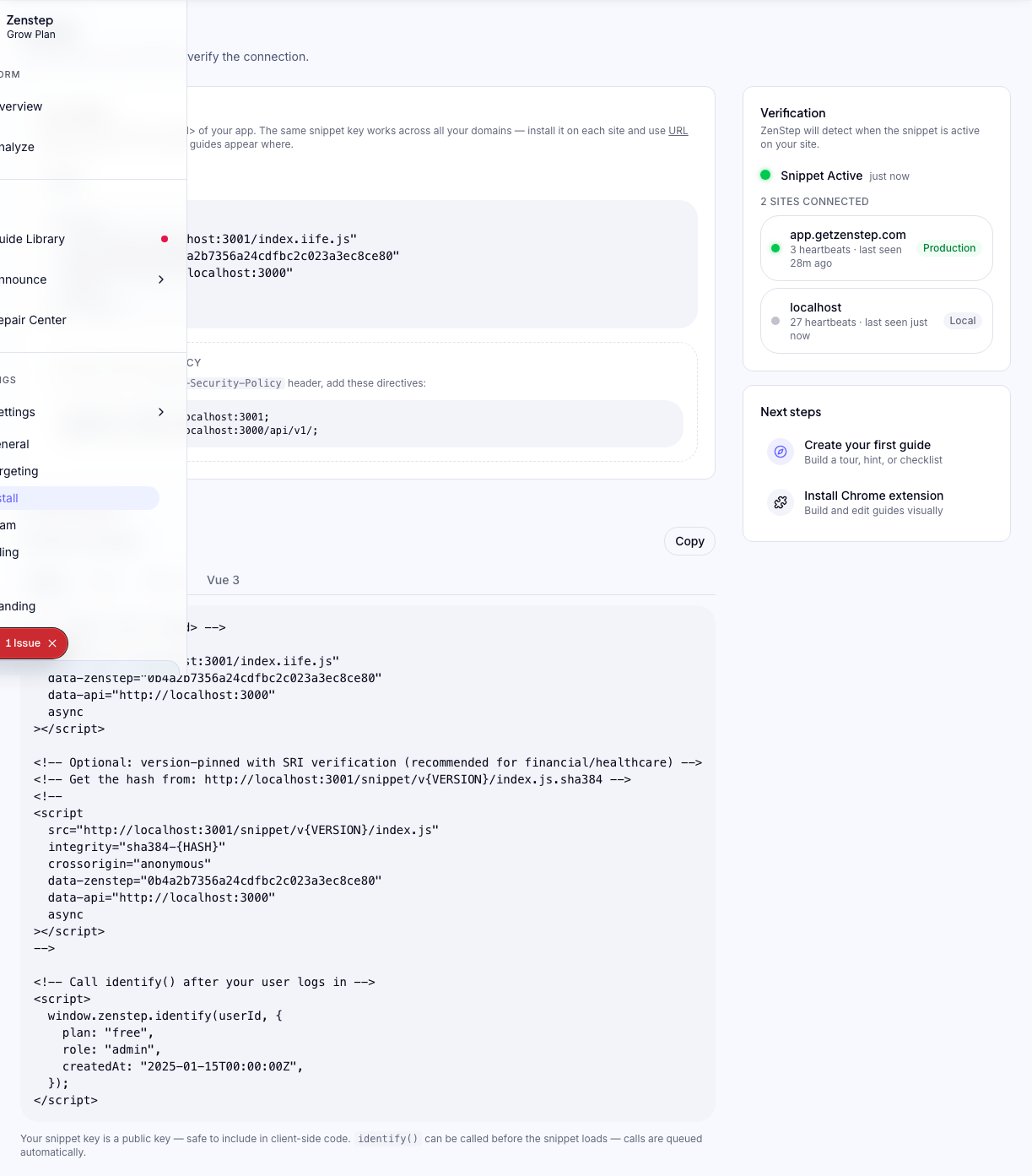
Go to the Install page in the dashboard. Load any page on your site that includes the snippet. Within a few seconds, the status indicator should turn green: "Snippet detected."
Method 2 — Browser DevTools
Open your site, then open DevTools (F12) → Network tab. Filter by "iife.js". You should see a successful GET request to cdn.getzenstep.com.
Method 3 — Console check
In the browser console, type:
window.zenstep;
If the snippet loaded, you'll see the Zenstep API object. If it returns undefined, the snippet hasn't loaded yet.
Version pinning (optional)
By default, the snippet URL uses latest, which always loads the newest version. For production environments where you want stability, you can pin to a specific version:
<script
  async
  data-zenstep="YOUR_SNIPPET_KEY"
  src="https://cdn.getzenstep.com/snippet/1.0.0/index.iife.js"
  integrity="sha384-HASH_HERE"
  crossorigin="anonymous"
></script>
Contact support to get the current stable version hash.
Next steps
- Create your first flow using the Chrome extension
- Review targeting rules to control who sees your flows
Was this helpful?
Related articles